Double variateur de vitesse pour Train Électrique HO
Par makoto doushite le dimanche, 29 décembre 2019, 10:07 - Électronique - Lien permanent

- Il y a quelques mois j'ai retrouvé mon vieux train électrique et j'ai eu envie de le dépoussiérer un peu…
Ne disposant alors que d'un vieux variateur Jouef 3 positions, je me suis dit qu'avec les compétences d'aujourd'hui il serait aisé d'en construire un, et de remettre en état les rails et roues des machines oxydées, voire parfois rouillées.
Quand j'étais ado donc, j'ignorais un tas de choses, et sans modélistes dans mon entourage j'étais alors sans ressources devant un train électrique qui ne roulait pas bien, avec ses voies qui s'oxydaient avec le temps…
Personne pour me dire qu'il existait des « gommes » à frotter, des produits pour nettoyer les voies, et autre trucs « marketés » pour modéliste fortunés.
Pas de boutiques de modélisme, tout au mieux un magasin de jouet qui n'y connaissait rien, le genre de type qui te répond sans sourciller que celui-là est mieux car il est écrit « super » sur l'emballage, alors que tu demandais la différence entre deux produits similaires.
J'ignorais même qu'il puisse exister des livres sur le sujet, sauf à être tombé sur un magasine une fois au CDI du lycée.
Bref, l'accès à l'information faisait défaut, et n'ayant pas la possibilité de vadrouiller en ville, difficile d'en apprendre plus, surtout quand on ne sait pas quoi rechercher.
Alors dans la morosité ambiante de fin du monde « as we know it », j'ai envie de dire que nous vivons l'époque formidable où internet est né, (et qu'il faudrait veiller à préserver sans corrompre) avec un accès à l'information phénoménal, tel que j'aurais pu en rêver…
Les gens qui savent l'utiliser au mieux se voient ainsi « augmentés » d'un tas de connaissances, et c'est à travers ma propre expérience et le recoupement d'informations que j'ai pu confirmer que le modéliste sait entretenir un train électrique alors même que ces jouets étaient vendu sans aucunes explications !
Je n'ose même pas imaginer le nombre de trains jetés par une famille dans le même cas que moi, mais un peu moins regardante, pensant que « le truc est cassé, hob, poubelle ».
À l'époque mon père avait bien pensé à utiliser de l'alcool à brûler à passer sur les voies et du papier abrasif à frotter sur roues, mais on voyait ça comme une solution de secours assez sale, pour sauver le coup sans fierté, on y allait doucement par peur d'abîmer.
- Trente ans plus tard et internet te confirmes que c'est bien comme ça qu'il faut faire, et que tu peux t'en donner à cœur joie !
- Papier abrasif à l'eau pour carrosserie grain 800 puis 1000, pour récupérer rails et roues.
- Et entretiens avec ton hydrocarbure préféré, de l'essence F, je trouve que ça marche bien.
Un peu longue l'intro ; oups, alors pour faire un varariateur c'est simple, il faut une PWM.
- Après quelques tests sur plaquette d'essais, une petite vidéo :
Le schéma électronique :
- Bon c'est un peu chargé, mais on s'en sort…
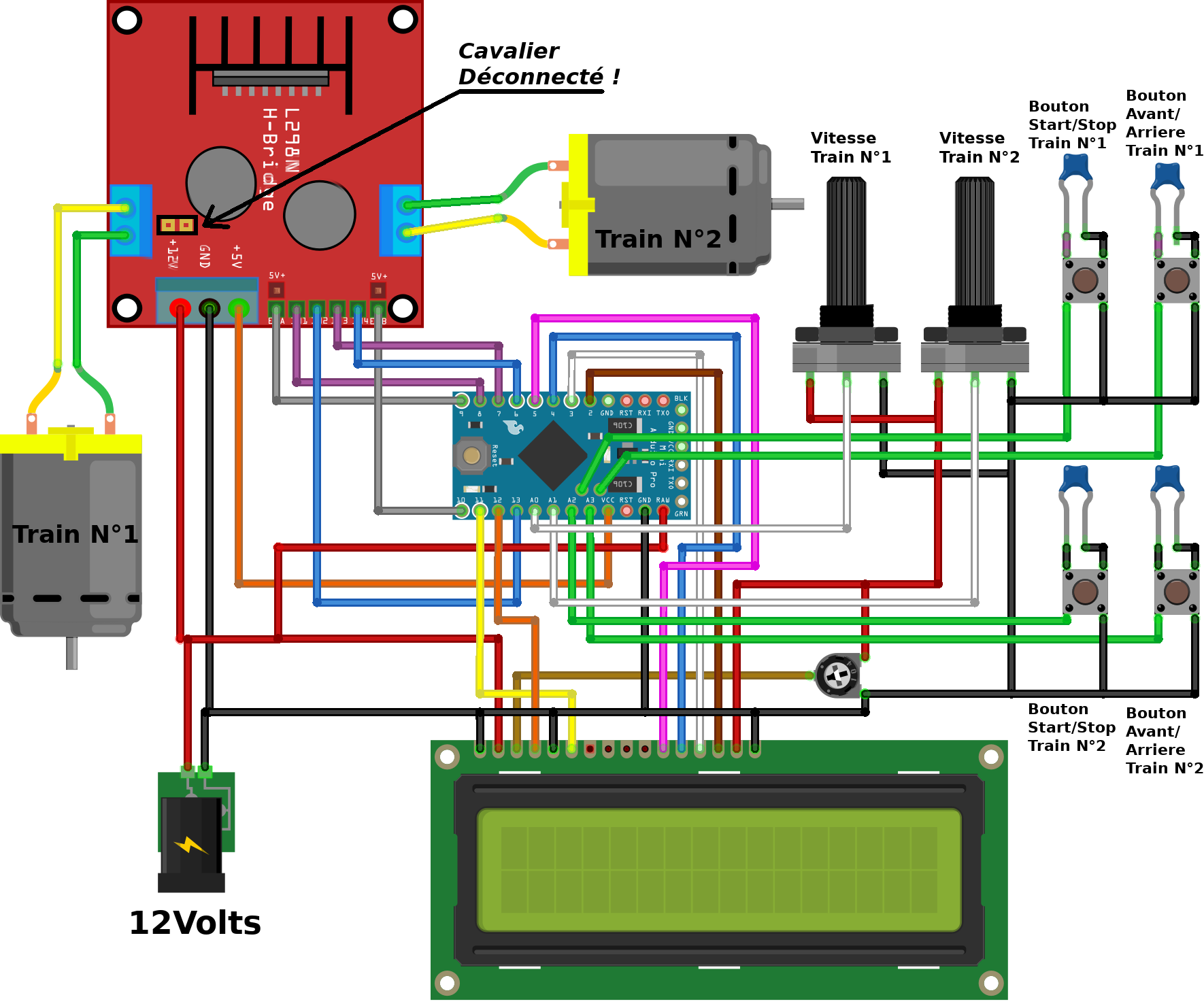
Matériel requis :
- 1 Arduino Pro Mini 5V.
- Un ordi avec port USB et le soft Arduino IDE.
- 1 module Pont en H à base de L298N.
- 1 potentiométre de 10kΩ ou une résistance de 220Ω.
- 2 potentiométres (la valeur n'a aucune importance).
- 1 Prise jack 3.5 mm d'alimentation .
- 1 afficheur LCD type HD44780 16 ou 20 x 2.
- 4 boutons poussoirs.
- 4 vis M3x12 mm.
- J'ai câblé les boutons sur une plaque à trous et intégré le tout dans un boîtier sur mesure, dispo sur Thingiverse
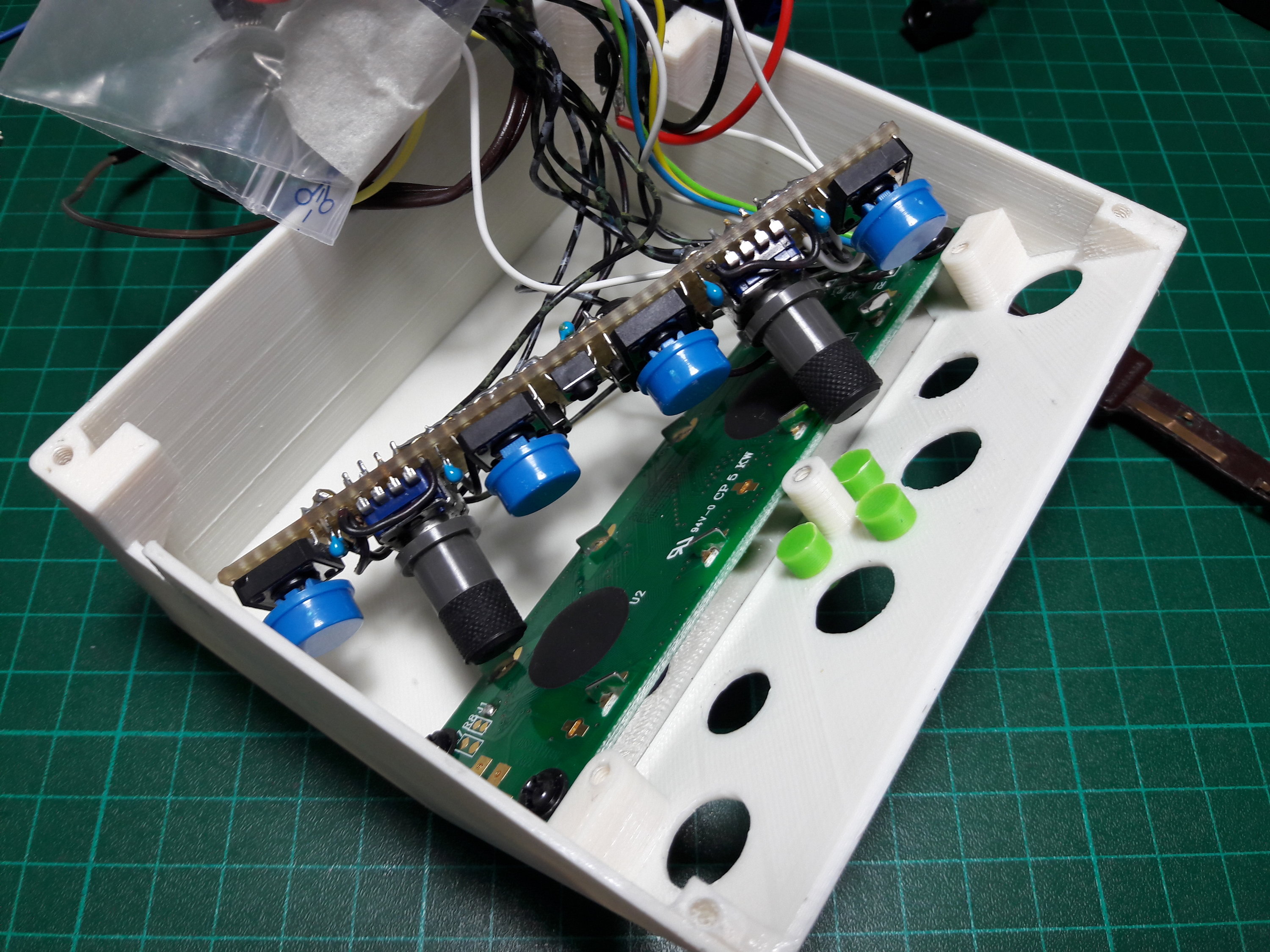
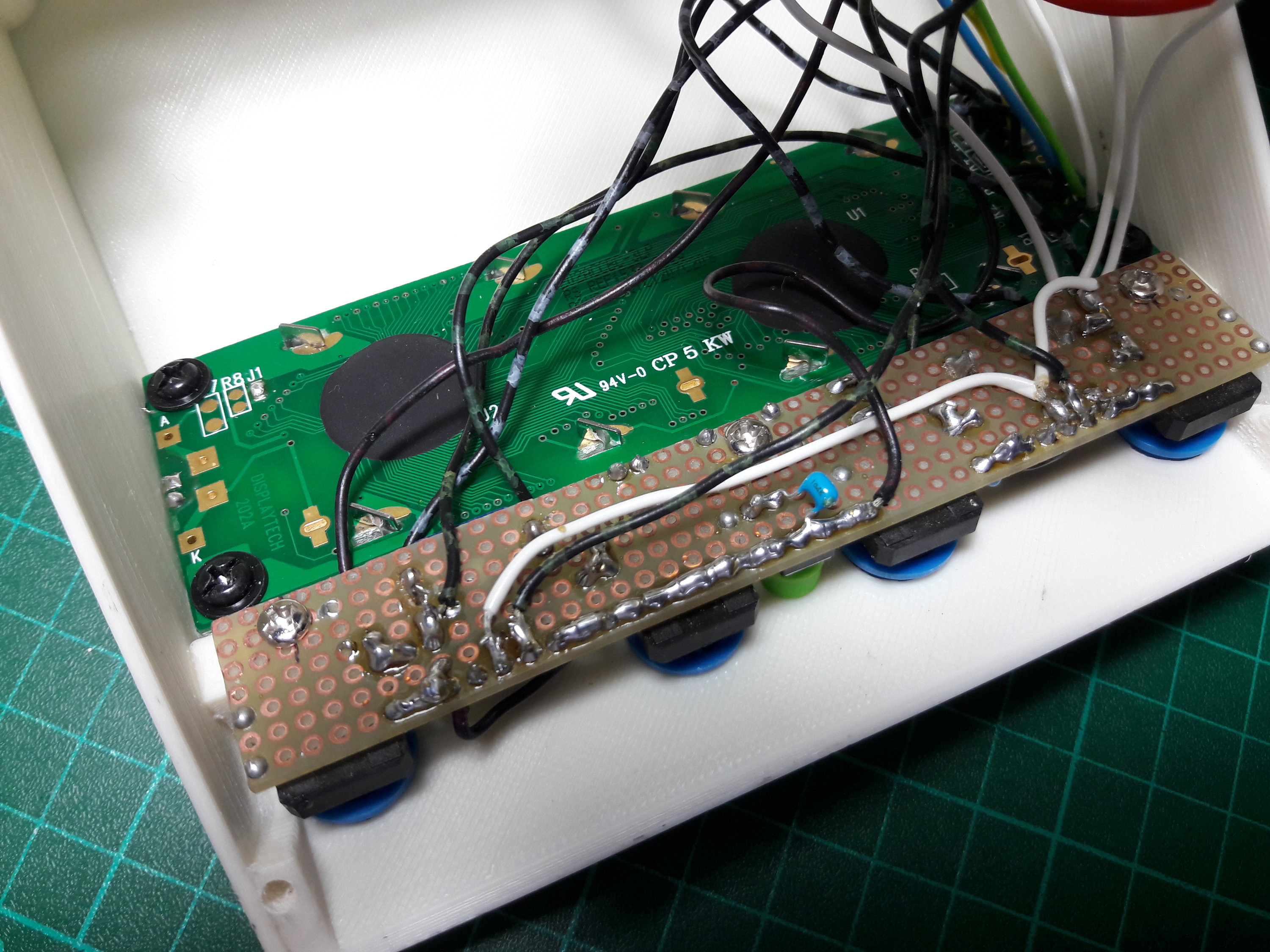
- L'Arduino est protégé des courts-circuits avec un sac plastique.
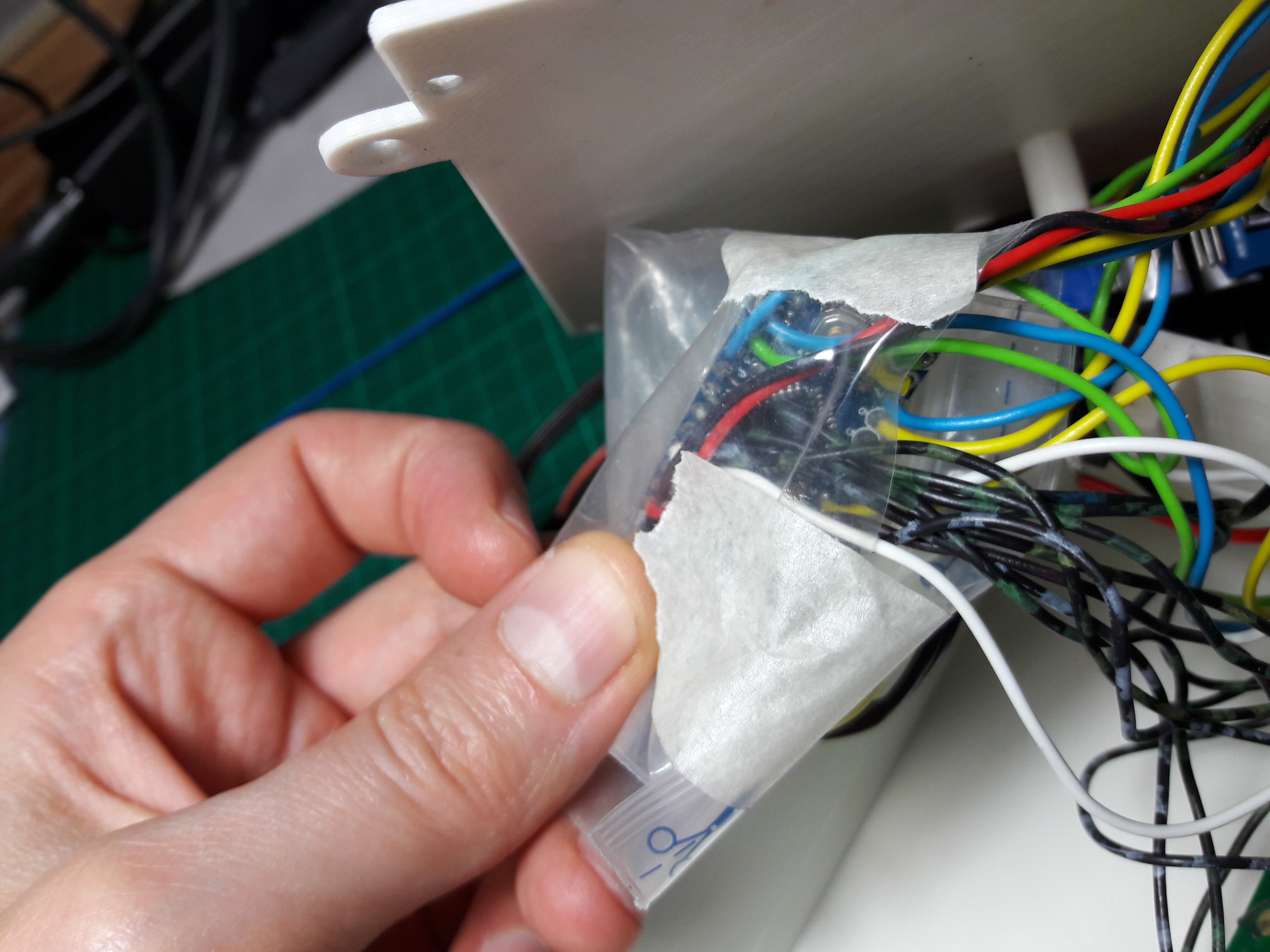
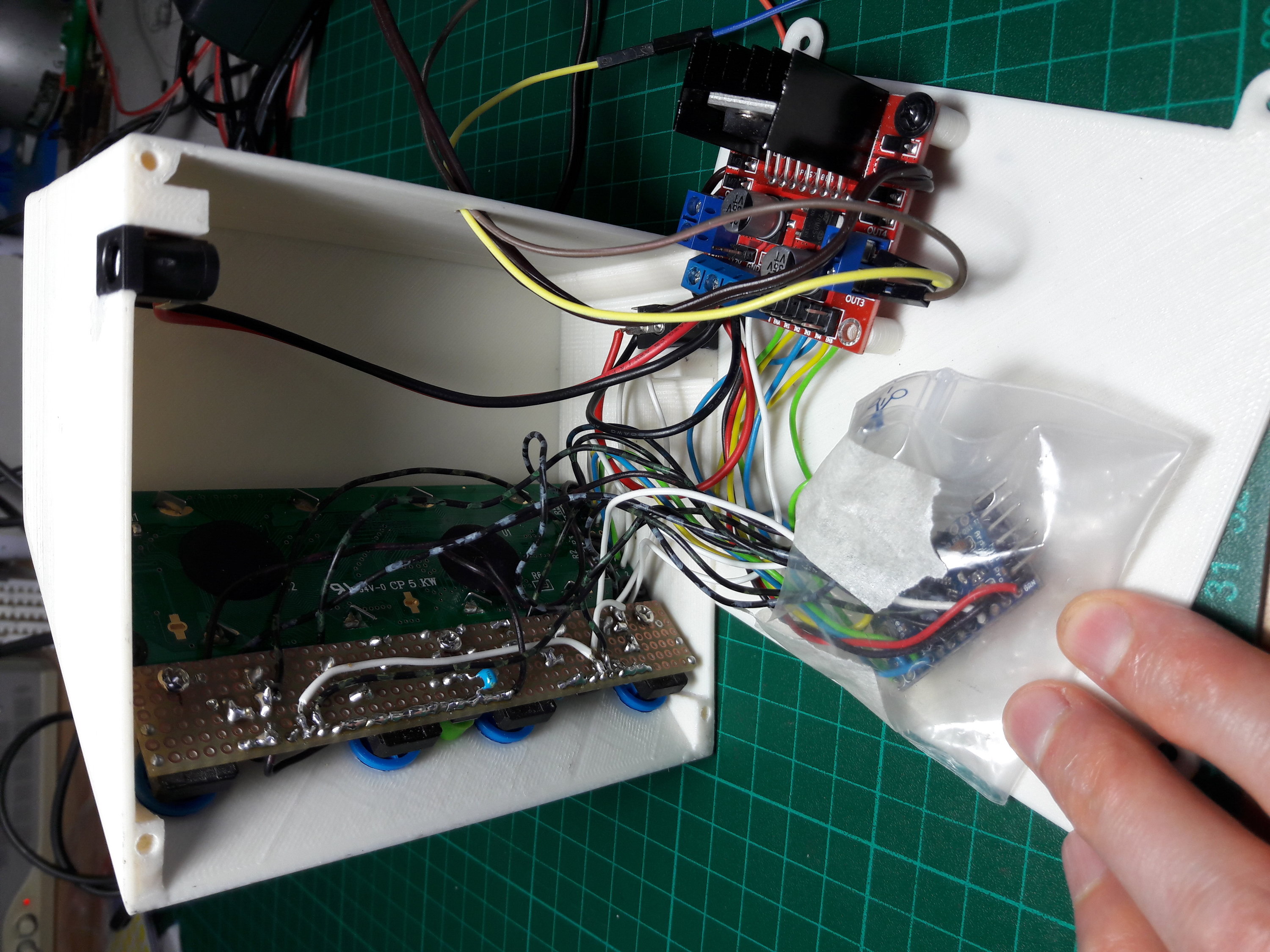
- On referme avec les vis.
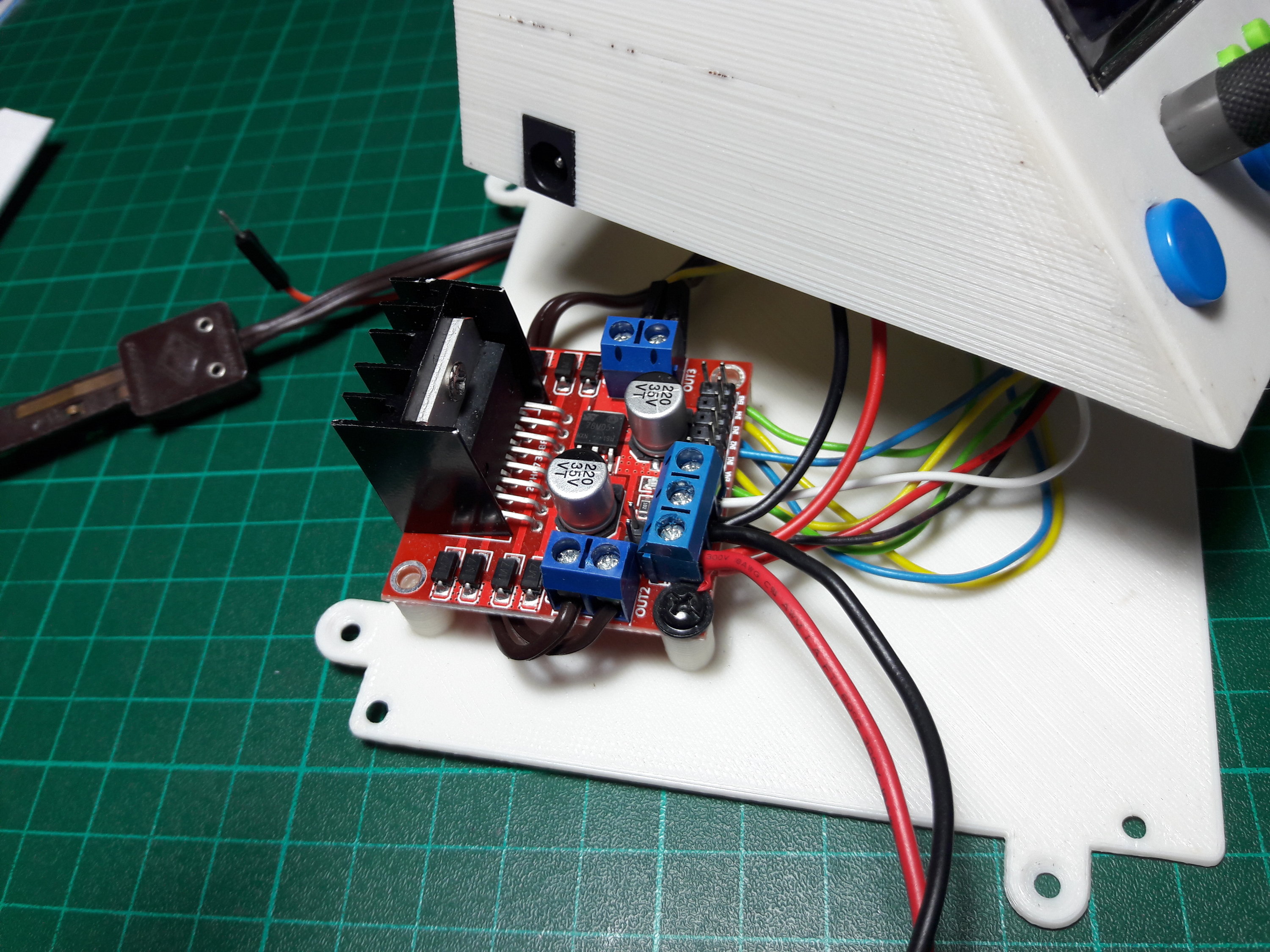
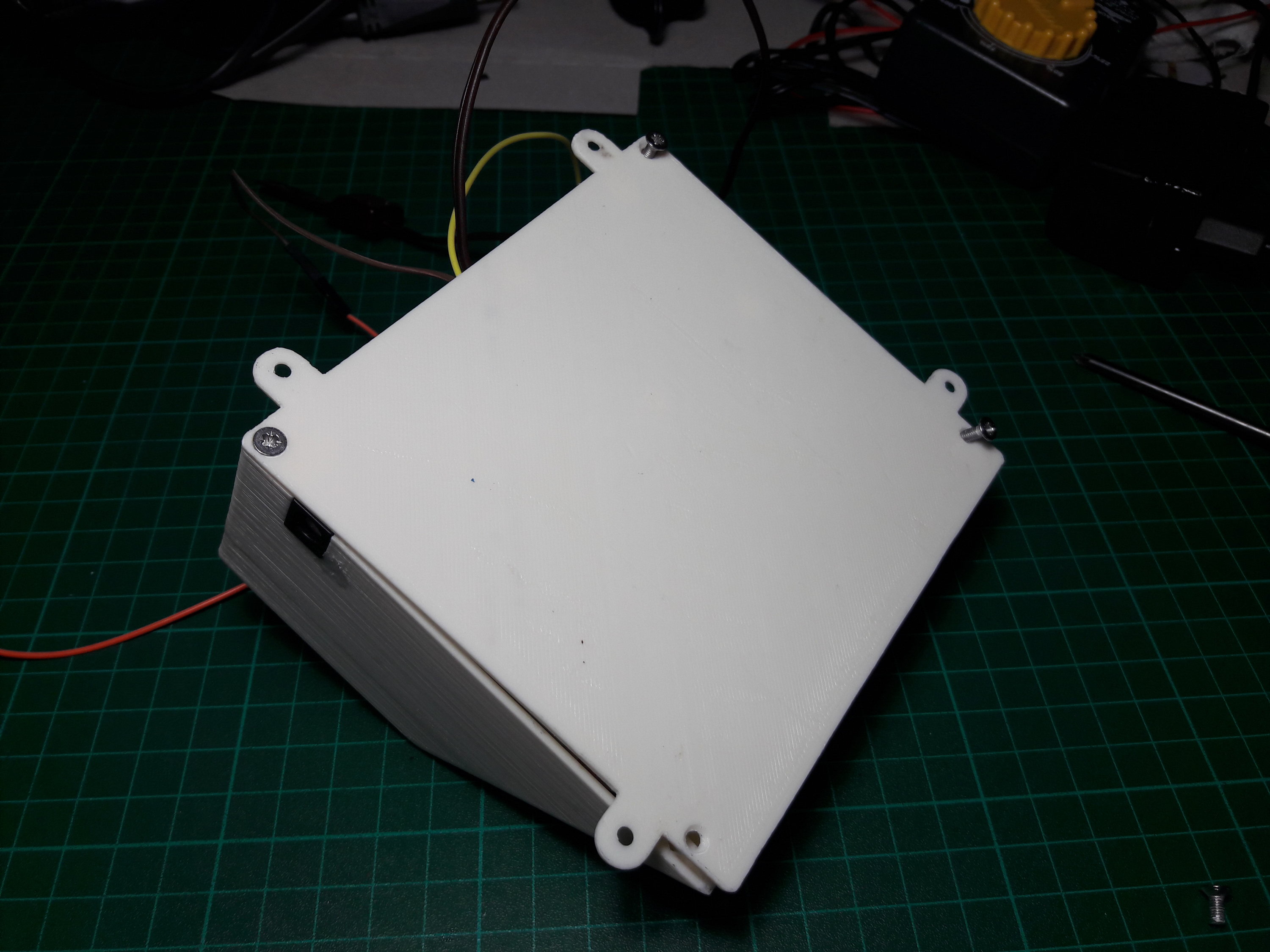
- Voilà pour la démo, à l'allumage :
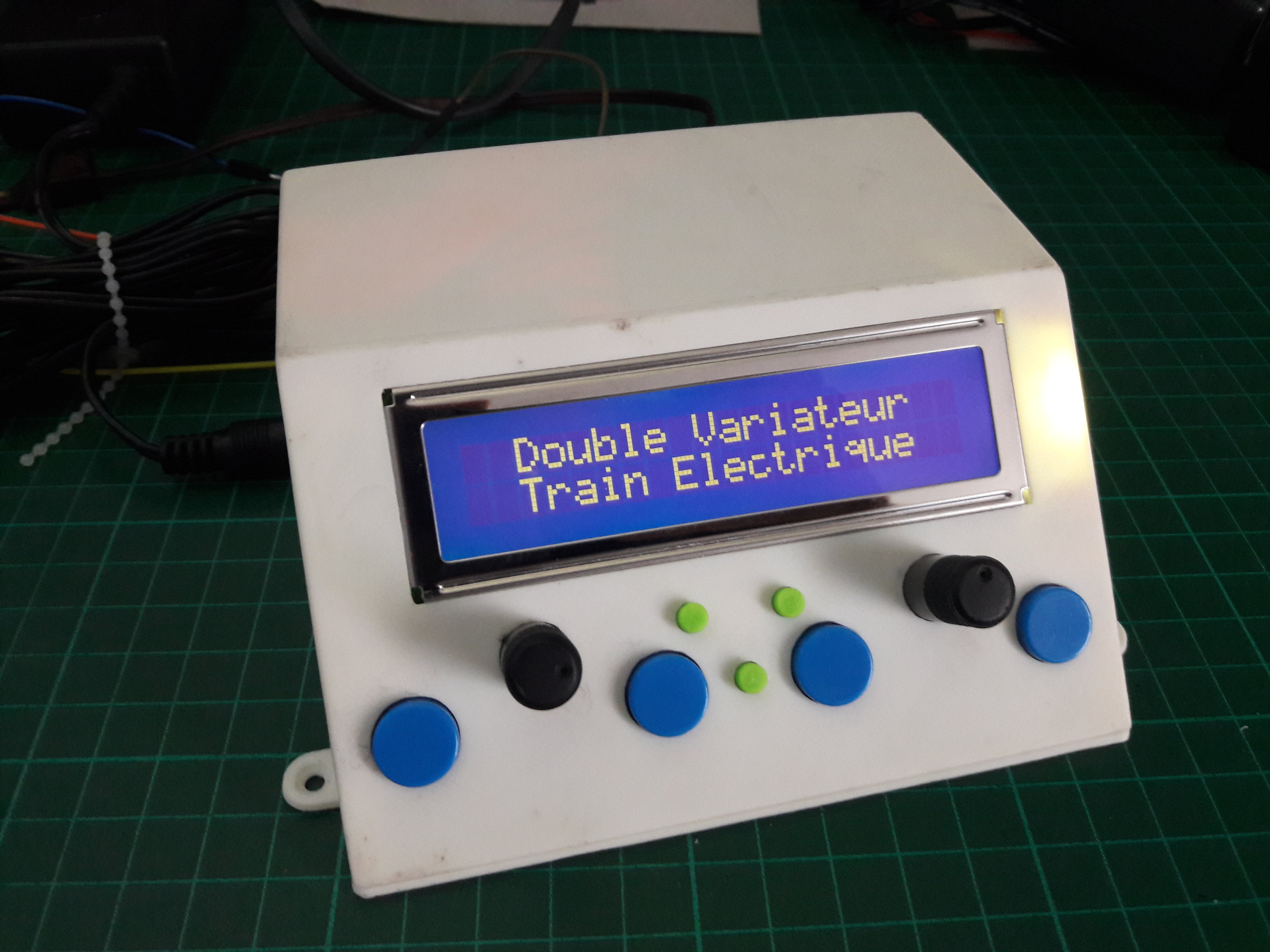
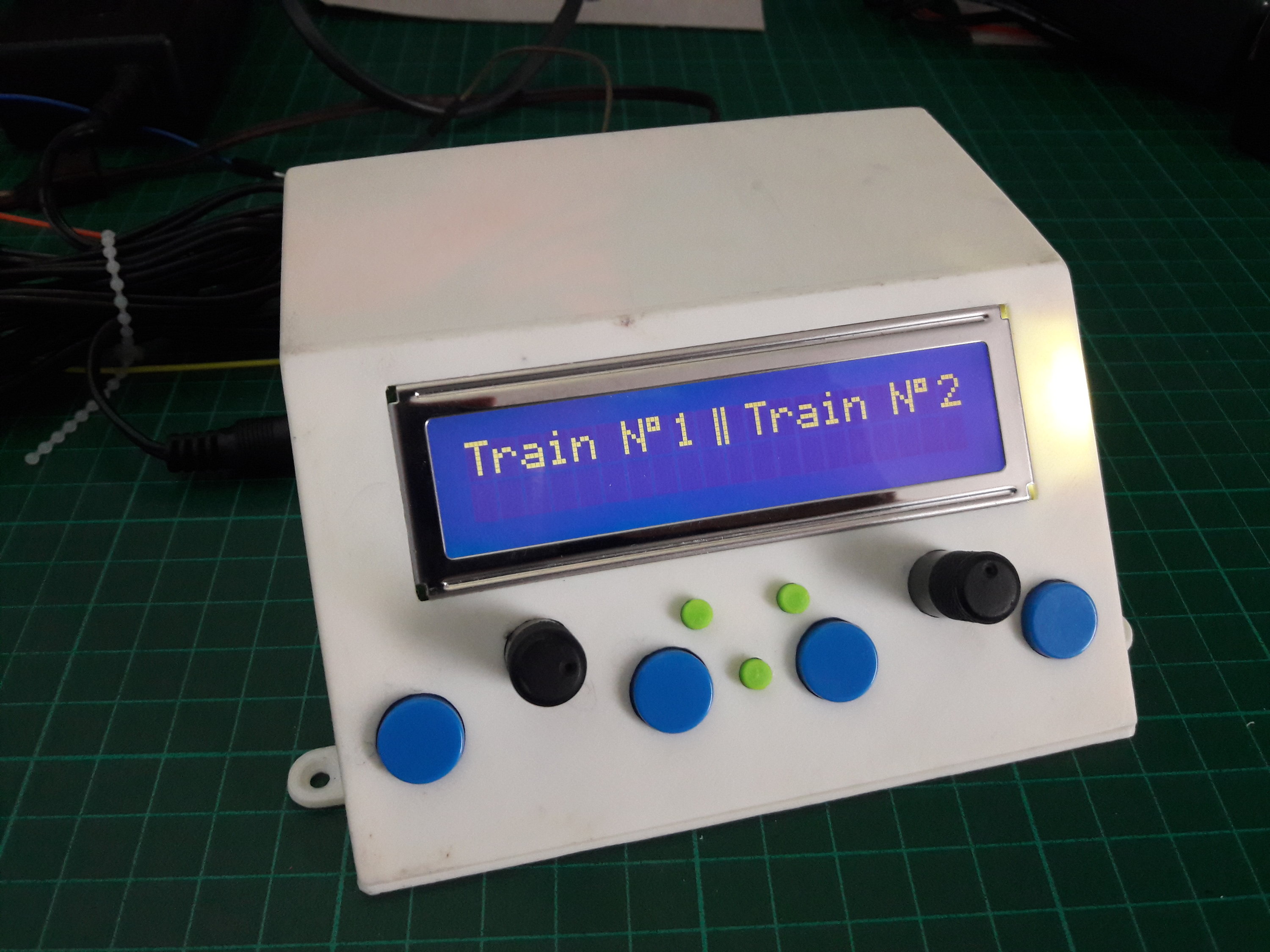
- En marche arrière, vitesse 86/100, puis marche avant, vitesse 42/100 :
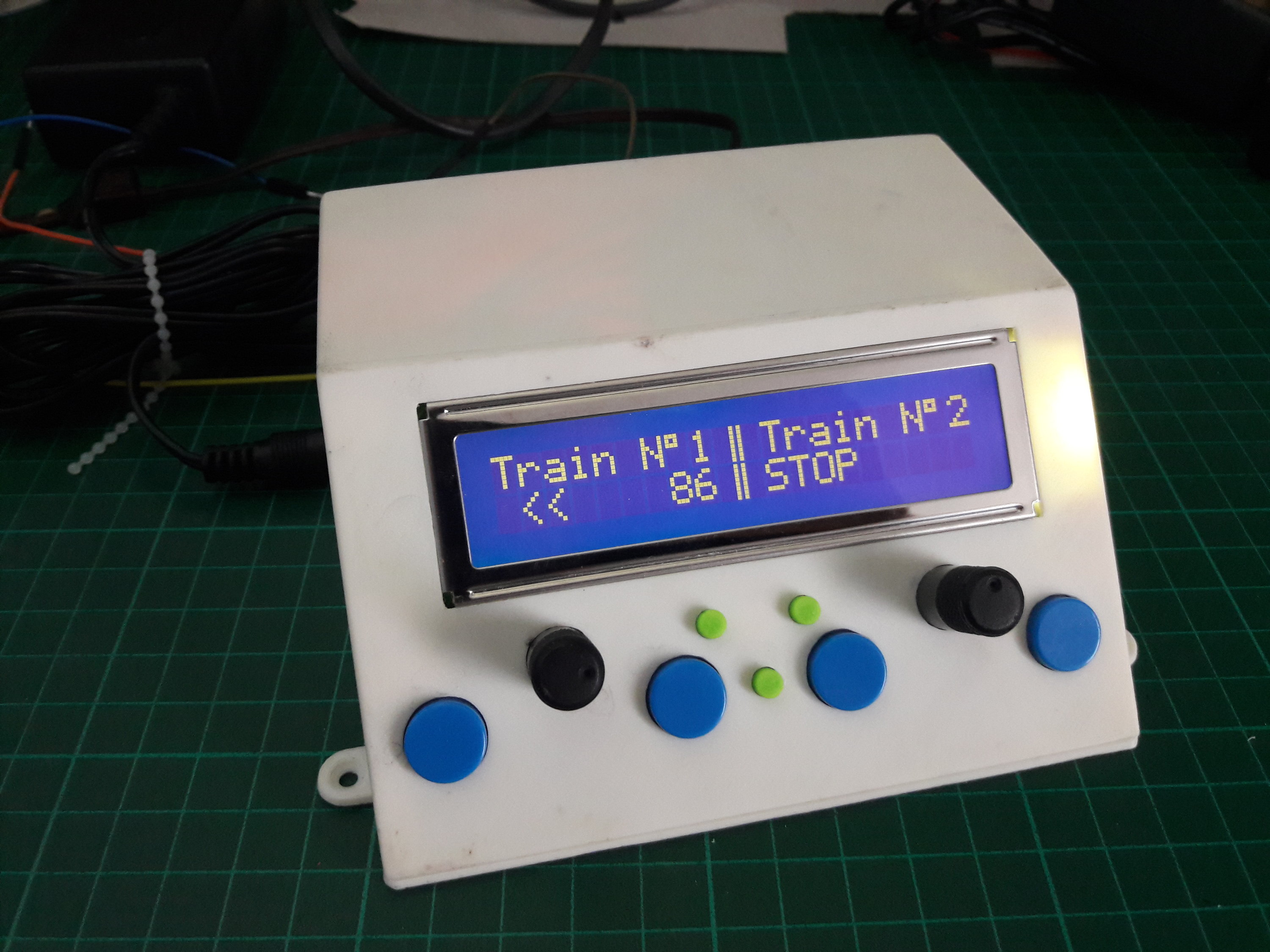
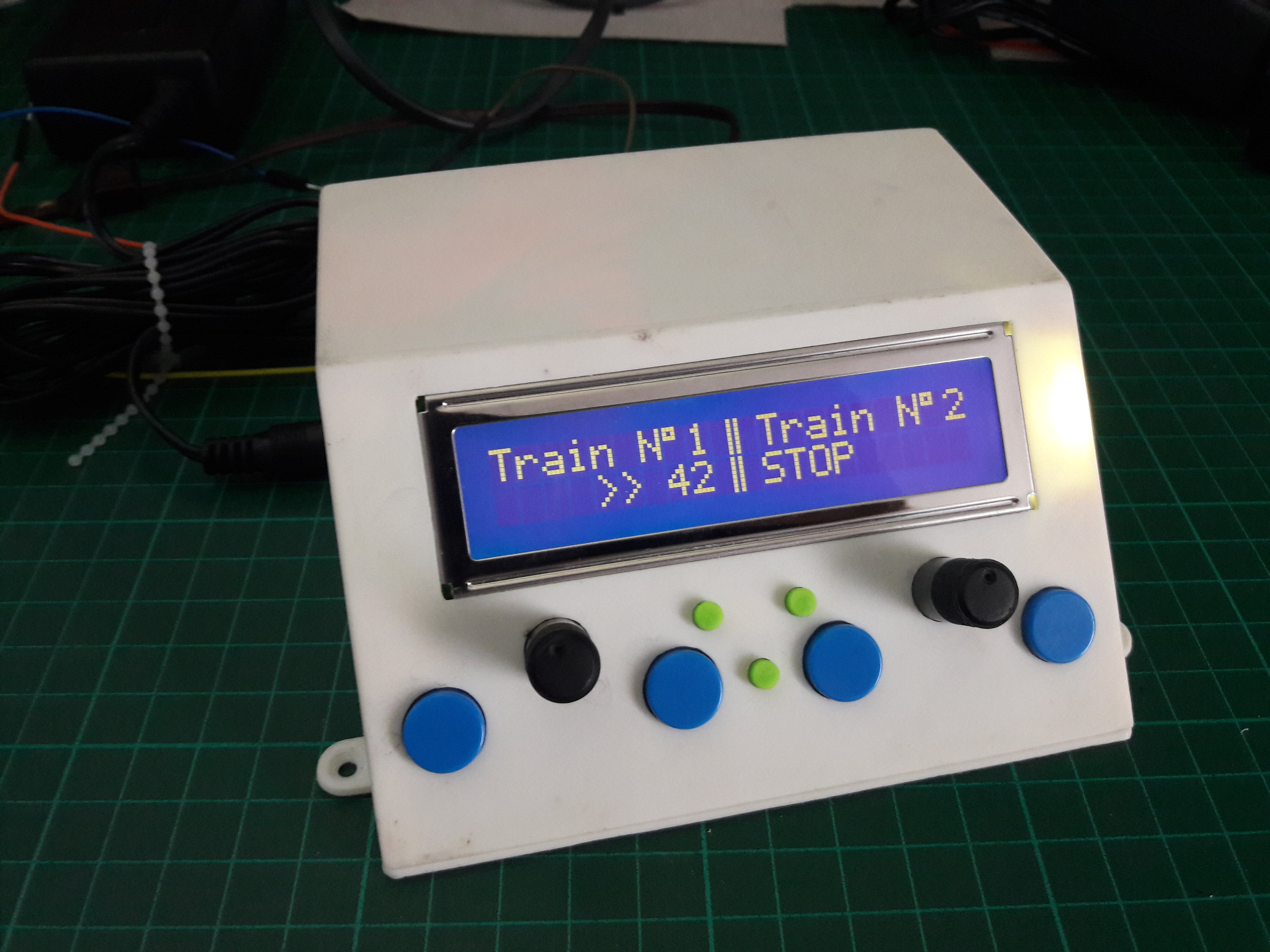
- Programme pour l’Arduino Pro Mini :
#include <LiquidCrystal.h>
// initialize the library by associating any needed LCD interface pin
// with the arduino pin number it is connected to
const int rs = 12, en = 11, d4 = 5, d5 = 4, d6 = 3, d7 = 2;
LiquidCrystal lcd(rs, en, d4, d5, d6, d7);
// https://maxpromer.github.io/LCD-Character-Creator/
byte barre1[] = {
  B00001,
  B00001,
  B00001,
  B00001,
  B00001,
  B00001,
  B00001,
  B00001
};
byte barre2[] = {
  B10000,
  B10000,
  B10000,
  B10000,
  B10000,
  B10000,
  B10000,
  B10000
};
byte bulle[] = {
  B11100,
  B10100,
  B11100,
  B00000,
  B00000,
  B00000,
  B00000,
  B00000
};

/* Variateur N°1 */
const int enable1 = 9;   // L298N Driver la PWM
const int input1 = 8;   // L298N Driver les broches de signal
const int input2 = 13;  // L298N Driver les broches de signal

const int faderVitesse01 = A0;  // la broche pour régler la vitesse

const int buttonStartStopPin01 = A5;     // the number of the pushbutton pin
int valeurBoutonStartStop01;         // variable for reading the pushbutton status
int valBoutonStartStop_prec01 = LOW;
volatile int etatStop01 = LOW;

const int buttonInvertPin01 = A4;     // the number of the pushbutton pin
int valeurBoutonInvert01;         // variable for reading the pushbutton status
int valBoutonInvert_prec01 = LOW;
int etatInvert01 = LOW;

/* Variateur N°2 */
const int enable2 = 10;   // L298N Driver la PWM
const int input3 = 7;   // L298N Driver les broches de signal
const int input4 = 6;  // L298N Driver les broches de signal

const int faderVitesse02 = A1;  // la broche pour régler la vitesse

const int buttonStartStopPin02 = A2;     // the number of the pushbutton pin
int valeurBoutonStartStop02;         // variable for reading the pushbutton status
int valBoutonStartStop_prec02 = LOW;
volatile int etatStop02 = LOW;

const int buttonInvertPin02 = A3;     // the number of the pushbutton pin
int valeurBoutonInvert02;         // variable for reading the pushbutton status
int valBoutonInvert_prec02 = LOW;
int etatInvert02 = LOW;
//#########
//# Setup #
//#########

void setup() {
  // put your setup code here, to run once:
    // set up the LCD's number of columns and rows:
    lcd.begin(20, 2);
    lcd.setCursor(0, 0);
  // Print a message to the LCD.
    lcd.print("  Double Variateur");
    lcd.setCursor(0, 1);
    lcd.print("  Train Electrique");
    lcd.createChar(0, barre1);
    lcd.createChar(1, barre2);
    lcd.createChar(3, bulle);
    delay(5000);
    affiche();

    pinMode(input1, OUTPUT);
    pinMode(input2, OUTPUT);
    pinMode(buttonStartStopPin01, INPUT_PULLUP);
    pinMode(buttonInvertPin01, INPUT_PULLUP);
//    attachInterrupt(0, BoutonStopGo, FALLING); // attache l'interruption externe n°0 (pin2 soit bouton Stop) à la fonction BoutonStopGo

    pinMode(input3, OUTPUT);
    pinMode(input4, OUTPUT);
    pinMode(buttonStartStopPin02, INPUT_PULLUP);
    pinMode(buttonInvertPin02, INPUT_PULLUP);

//    Serial.begin(9600);
    analogWrite(enable1, 0);      //on démarre moteur en avant et en roue libre
    digitalWrite(input1, LOW);
    digitalWrite(input2, HIGH);  // enable pullup resistor

    analogWrite(enable2, 0);      //on démarre moteur en avant et en roue libre
    digitalWrite(input3, HIGH);
    digitalWrite(input4, LOW);  // enable pullup resistor
}

//#############
//# Programme #
//#############
void loop() {

  BoutonSens01();
  BoutonStopGo01();
  BoutonSens02();
  BoutonStopGo02();

  if (etatStop01 == HIGH) {
        Vitesse01();
     }
   else {
     analogWrite(enable1, 0);  // envoie la vitesse, doit recevoir valeurs de 0 à 255
    }

  if (etatStop02 == HIGH) {
        Vitesse02();
     }
   else {
     analogWrite(enable2, 0);  // envoie la vitesse, doit recevoir valeurs de 0 à 255
    }
}

//###################################
//# affiche : Train N°1 ||Train N°2 #
//###################################
void affiche() {
    lcd.clear();
    lcd.setCursor(0, 0);
    lcd.print("Train N");
    lcd.setCursor(7, 0);
    lcd.write(byte(3)); // bulle
    lcd.setCursor(8, 0);
    lcd.print("1");
    lcd.setCursor(9, 0);
    lcd.write(byte(0)); // barre1
    lcd.setCursor(10, 0);
    lcd.write(byte(1)); // barre2
    lcd.setCursor(11, 0);
    lcd.print("Train N");
    lcd.setCursor(18, 0);
    lcd.write(byte(3)); // bulle
    lcd.setCursor(19, 0);
    lcd.print("2");
}

//##################################################
//# Mode Vitesse + inverser le sens de rotation 01 #
//##################################################
void Vitesse01()
{
  int valfaderVitesse01 = analogRead(faderVitesse01);  // valeurs de 0 à 1023
  int vitesse = map(valfaderVitesse01, 0, 1023, 0, 255);   // Discrétise la valeur du potentiomètre, 0 à 0 (0 à 75  pour vitesse très lente) et 1023 à 255
  //  int vitesse = map(valfaderVitesse01, 0, 1023, 75, 255);   // Discrétise la valeur du potentiomètre, 0 à 0 (0 à 75  pour vitesse très lente) et 1023 à 255
  int vitesseLCD = map(valfaderVitesse01, 0, 1023, 0, 99);
  if (etatInvert01 == LOW) {   // si le bouton est appuiyé
        digitalWrite(input1, LOW);  //le moteur va dans un sens
        digitalWrite(input2, HIGH);
 //       Serial.print("+");
        lcd.setCursor(0, 1);  // début du texte à la colonne 0, ligne 1
        lcd.print("    >> ");
  }
  else {
        digitalWrite(input1, HIGH);  //le moteur va dans l'autre sens
        digitalWrite(input2, LOW);
 //       Serial.print("-");
        lcd.setCursor(0, 1);
        lcd.print(" <<    ");
  }
  analogWrite(enable1, vitesse);  // envoie la vitesse, doit recevoir valeurs de 0 à 255
//  Serial.println(vitesse);
  lcd.setCursor(7, 1);
  lcd.print(vitesseLCD);
  lcd.setCursor(9, 1);
  lcd.write(byte(0)); // barre1
  lcd.setCursor(10, 1);
  lcd.write(byte(1)); // barre2
  delay(50);
}


//###########################
//# Bouton poussoir sens 01 #
//###########################
void BoutonSens01() {
  valeurBoutonInvert01 = digitalRead(buttonInvertPin01);  // lit l'état du bouton
  if ((valeurBoutonInvert01 == LOW) && (valBoutonInvert_prec01 == LOW)) {
    if (etatInvert01 == HIGH) {
      etatInvert01 = LOW;
      digitalWrite(input1, LOW);  //Freiner
      digitalWrite(input2, LOW);
      delay(300);
    }
    else {
      etatInvert01 = HIGH;
      digitalWrite(input1, LOW);  //Freiner
      digitalWrite(input2, LOW);
      delay(300);
    }
//    Serial.print("etat Rotation:  ");
//    Serial.println(etatInvert01);
    valBoutonInvert_prec01 == valeurBoutonInvert01;
    delay(50);
  }
}

//##################
//# Bouton Stop 01 #
//##################
void BoutonStopGo01() {
  valeurBoutonStartStop01 = digitalRead(buttonStartStopPin01);  // lit l'état du bouton
  if ((valeurBoutonStartStop01 == LOW) && (valBoutonStartStop_prec01 == LOW)) {
    if (etatStop01 == HIGH) {
      etatStop01 = LOW;
    }
    else {
      etatStop01 = HIGH;
    }
//    Serial.print("etat STOP :  ");
//    Serial.println(etatStop01);

    lcd.setCursor(0, 1);
    if (etatStop01 == HIGH & etatInvert01 == LOW) {
      lcd.print("    >> ");
    }
    else if (etatStop01 == HIGH & etatInvert01 == HIGH) {
      lcd.print(" <<    ");
    }
    else {
      lcd.print("STOP     ");
      lcd.setCursor(9, 1);
      lcd.write(byte(0)); // barre1
      lcd.setCursor(10, 1);
      lcd.write(byte(1)); // barre2
    }

    valBoutonStartStop_prec01 == valeurBoutonStartStop01;
    delay(300);
  }
}

//##################################################
//# Mode Vitesse + inverser le sens de rotation 02 #
//##################################################
void Vitesse02()
{
  int valfaderVitesse02 = analogRead(faderVitesse02);  // valeurs de 0 à 1023
  int vitesse = map(valfaderVitesse02, 0, 1023, 0, 255);   // Discrétise la valeur du potentiomètre, 0 à 0 (0 à 75  pour vitesse très lente) et 1023 à 255
  //  int vitesse = map(valfaderVitesse02, 0, 1023, 75, 255);   // Discrétise la valeur du potentiomètre, 0 à 0 (0 à 75  pour vitesse très lente) et 1023 à 255
  int vitesseLCD = map(valfaderVitesse02, 0, 1023, 0, 99);
  if (etatInvert02 == LOW) {   // si le bouton est appuiyé
        digitalWrite(input3, LOW);  //le moteur va dans un sens
        digitalWrite(input4, HIGH);
//        Serial.print("+");
        lcd.setCursor(11, 1);
        lcd.print("    >> ");
  }
  else {
        digitalWrite(input3, HIGH);  //le moteur va dans l'autre sens
        digitalWrite(input4, LOW);
//        Serial.print("-");
        lcd.setCursor(11, 1);
        lcd.print(" <<    ");
  }
  analogWrite(enable2, vitesse);  // envoie la vitesse, doit recevoir valeurs de 0 à 255
//  Serial.println(vitesse);
  lcd.setCursor(18, 1);
  lcd.print(vitesseLCD);
  lcd.setCursor(9, 1);
  lcd.write(byte(0)); // barre1
  lcd.setCursor(10, 1);
  lcd.write(byte(1)); // barre2
  delay(50);
}

//###########################
//# Bouton poussoir sens 02 #
//###########################
void BoutonSens02() {
  valeurBoutonInvert02 = digitalRead(buttonInvertPin02);  // lit l'état du bouton
  if ((valeurBoutonInvert02 == LOW) && (valBoutonInvert_prec02 == LOW)) {
    if (etatInvert02 == HIGH) {
      etatInvert02 = LOW;
      digitalWrite(input3, LOW);  //Freiner
      digitalWrite(input4, LOW);
      delay(300);
    }
    else {
      etatInvert02 = HIGH;
      digitalWrite(input3, LOW);  //Freiner
      digitalWrite(input4, LOW);
      delay(300);
    }
 //   Serial.print("etat Rotation:  ");
 //   Serial.println(etatInvert02);
    valBoutonInvert_prec02 == valeurBoutonInvert02;
    delay(50);
  }
}

//##################
//# Bouton Stop 02 #
//##################
void BoutonStopGo02() {
  valeurBoutonStartStop02 = digitalRead(buttonStartStopPin02);  // lit l'état du bouton
  if ((valeurBoutonStartStop02 == LOW) && (valBoutonStartStop_prec02 == LOW)) {
    if (etatStop02 == HIGH) {
      etatStop02 = LOW;
    }
    else {
      etatStop02 = HIGH;
    }
//    Serial.print("etat STOP :  ");
//    Serial.println(etatStop02);

    lcd.setCursor(11, 1);
    if (etatStop02 == HIGH & etatInvert02 == LOW) {
      lcd.print("    >> ");
    }
    else if (etatStop02 == HIGH & etatInvert02 == HIGH) {
      lcd.print(" <<    ");
    }
    else {
      lcd.print("STOP     ");
      lcd.setCursor(9, 1);
      lcd.write(byte(0)); // barre1
      lcd.setCursor(10, 1);
      lcd.write(byte(1)); // barre2
    }

    valBoutonStartStop_prec02 == valeurBoutonStartStop02;
    delay(300);
  }
}
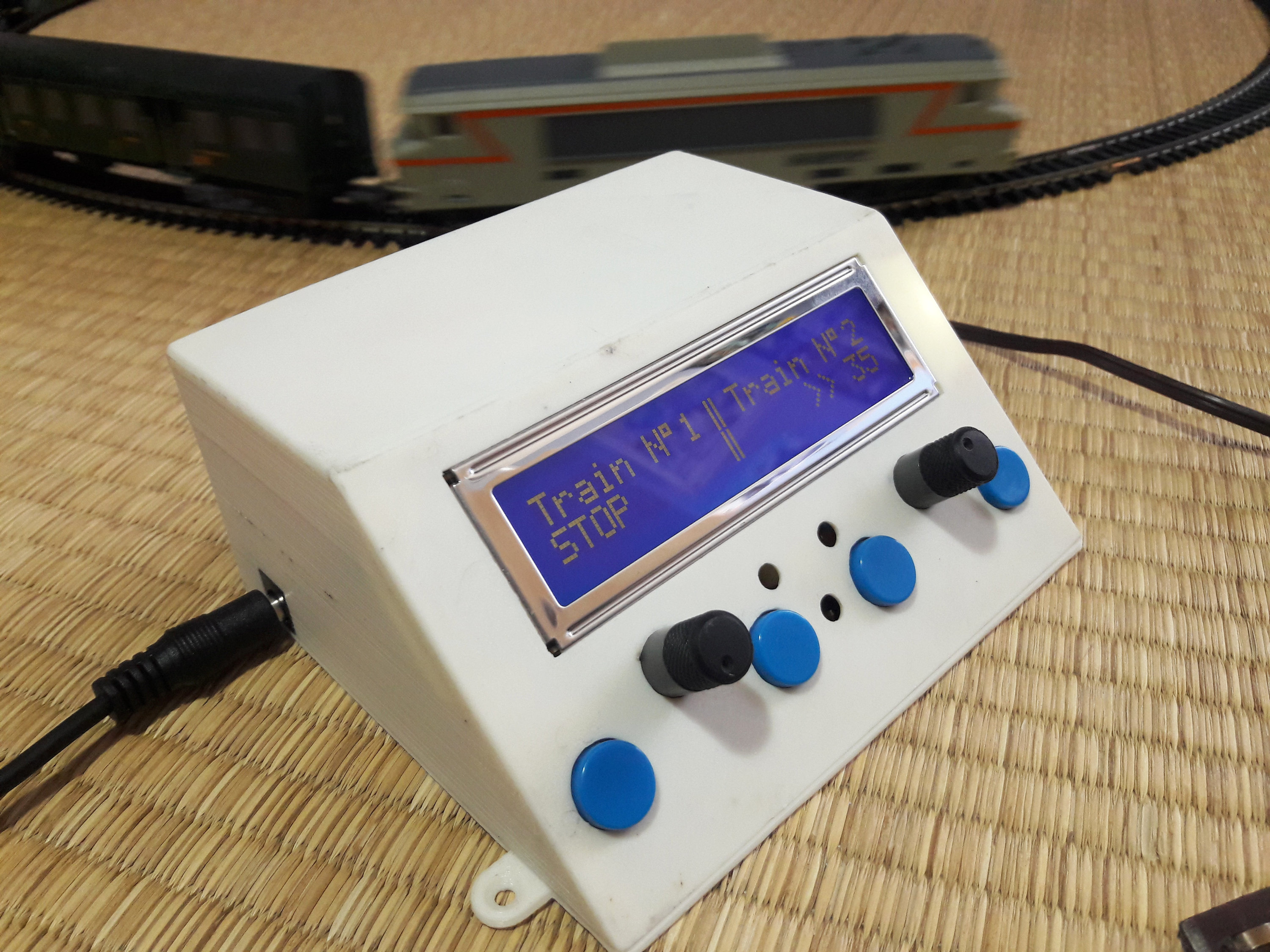
Le code est aussi documenté ici.
Ressources :
https://howtomechatronics.com/tutorials/arduino/arduino-dc-motor-control-tutorial-l298n-pwm-h-bridge/
https://www.locoduino.org/